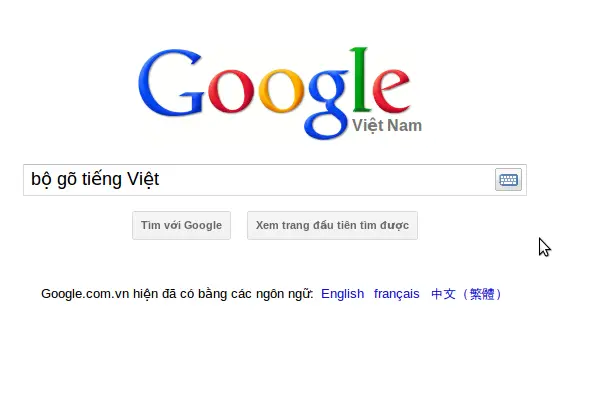

Open-Source Vietnamese Typing Tool for Web
Overview
AVIM Chrome Extension is a productivity-focused browser tool designed to simplify Vietnamese language input on the web. Built for users who frequently type in Vietnamese, it enables seamless entry of special characters—such as accents and diacritics—without requiring complex keyboard layouts. The extension is particularly useful for individuals who rely on Telex and VNI input methods, which are widely used in Vietnamese computing environments.
It addresses common typing challenges, such as mistyping passwords or email addresses due to incorrect character input. By allowing users to toggle the input method with a simple keyboard shortcut—pressing Ctrl twice—it enhances accuracy and efficiency. The software is especially beneficial for content creators, students, and professionals working with Vietnamese text across online platforms.
Developed by Kim Kha, the extension has been released as open source, inviting community contributions and transparency. It is compatible with Windows, Mac, and Linux systems, making it accessible to a broad audience. While it does not function on the Chrome Web Store or Google Docs, it works on nearly all other websites, offering a reliable solution for everyday web-based typing tasks.
Key Features & Capabilities
- Toggle AVIM with Ctrl + Ctrl – A quick keyboard shortcut allows users to enable or disable the input method instantly, improving workflow flexibility.
- Support for Telex and VNI Input Methods – Users can switch between two widely used Vietnamese typing systems, ensuring compatibility with existing preferences and workflows.
- Special Character Input for Vietnamese – The tool enables accurate typing of diacritics and tone marks, essential for proper Vietnamese orthography.
- Popup Textbox for Vietnamese Input – A dedicated input field in the popup allows users to type Vietnamese characters directly, useful for complex or non-standard inputs.
- Open-Source Availability – The source code is hosted on GitHub, promoting transparency, community collaboration, and customization.
- Compatibility with Most Websites – Functions across nearly all web platforms, including forms, forums, and content management systems.
These features collectively streamline the typing process for Vietnamese users, reducing errors and saving time. For example, a student writing an essay online can switch to Telex mode and type “học sinh” as “học sinh” without manual character selection. Similarly, a professional drafting a report can use the popup textbox to input rare characters efficiently. The open-source nature also allows developers to audit, improve, or adapt the tool for niche use cases.
User Interface, Workflow & Performance
The extension features a minimal, browser-integrated interface that appears as a small icon in the toolbar. Clicking the icon opens a popup with configuration options, including the ability to change the input method between Telex and VNI. The UI is straightforward, with no clutter or unnecessary elements, ensuring quick access to core functions.
Workflow efficiency is enhanced by the Ctrl+Ctrl shortcut, which allows users to activate AVIM without navigating menus. This reduces context switching and maintains typing flow. The extension integrates seamlessly into existing web interactions, requiring no additional setup beyond installation and page refresh.
Performance details were not specified by the developer. However, given its lightweight size of 2.1 MB and focus on input processing, it is expected to operate with minimal impact on browser performance. The extension does not run continuously in the background, reducing CPU and RAM usage. Stability is likely maintained through regular updates, supported by its open-source model and active community contributions.
Compatibility & System Requirements
AVIM Chrome Extension is designed to run on Windows, Mac, and Linux operating systems. It is compatible with Chrome-based browsers and is available in version 1.0.1. The installation size is 2.1 MB, indicating a lightweight footprint.
Exact system requirements were not listed. The developer did not provide additional details on hardware specifications, such as minimum RAM or processor speed. Compatibility information is limited to the supported platforms and browser environment. The extension does not function on the Chrome Web Store or Google Docs, which are explicitly excluded from its operational scope.
Users should ensure their system meets standard browser requirements for Chrome extensions. For optimal performance, it is recommended to keep the browser and extension updated.
Pros and Cons
Pros
- Open-source and transparent, allowing community review and improvement
- Lightweight at just 2.1 MB, minimizing system impact
- Supports both Telex and VNI input methods for flexibility
- Simple keyboard shortcut for quick activation (Ctrl twice)
- Effective for typing Vietnamese special characters on most websites
- Free to use with no hidden costs
Cons
- Not compatible with Google Docs or the Chrome Web Store
- No official documentation or user guide provided
- Limited to browser-based input fields, not system-wide
- Requires page refresh after installation to activate
- UI is minimal, which may lack guidance for first-time users
FAQ Section
Is AVIM Chrome Extension free to download?
Yes, the extension is completely free to download and use. There are no subscription fees or in-app purchases.
Can I use AVIM on Google Docs?
No, the extension does not work on Google Docs. This limitation is explicitly noted by the developer.
Is the software safe to install?
Yes, the extension is open source and hosted on GitHub. Users can review the code for transparency and security. It is distributed through the official Chrome Web Store.
How do I update AVIM to the latest version?
Updates are automatically handled by the Chrome browser. Users should ensure their browser is up to date for the latest version of the extension.
Can I customize the input method or keyboard shortcut?
Currently, the default input method can be changed via the popup menu. The keyboard shortcut (Ctrl twice) is fixed and cannot be modified.
Final Thoughts & CTA
AVIM Chrome Extension stands out as a reliable, open-source solution for Vietnamese users who need accurate and efficient typing on the web. Its support for both Telex and VNI methods, combined with a lightweight design and simple activation, makes it a valuable tool for students, writers, and professionals. While it has limitations on specific platforms like Google Docs, its broad compatibility with most websites compensates for these constraints.
With a transparent development model and active community support, the extension offers long-term reliability and potential for future enhancements. Its free availability and minimal system footprint further increase its appeal.
Download AVIM Chrome Extension now to enhance your Vietnamese typing experience on the web.







